
Now on the App Store
FieldPal, now on iPhone and iPad
Voice-first AI for technicians at the point of work, on the iPhones and iPads your team already uses. Capture work, search documentation and complete reports hands-free, wherever the job takes you.
Free to download · iOS 18.2 or later
On Android? get it on Google Play.
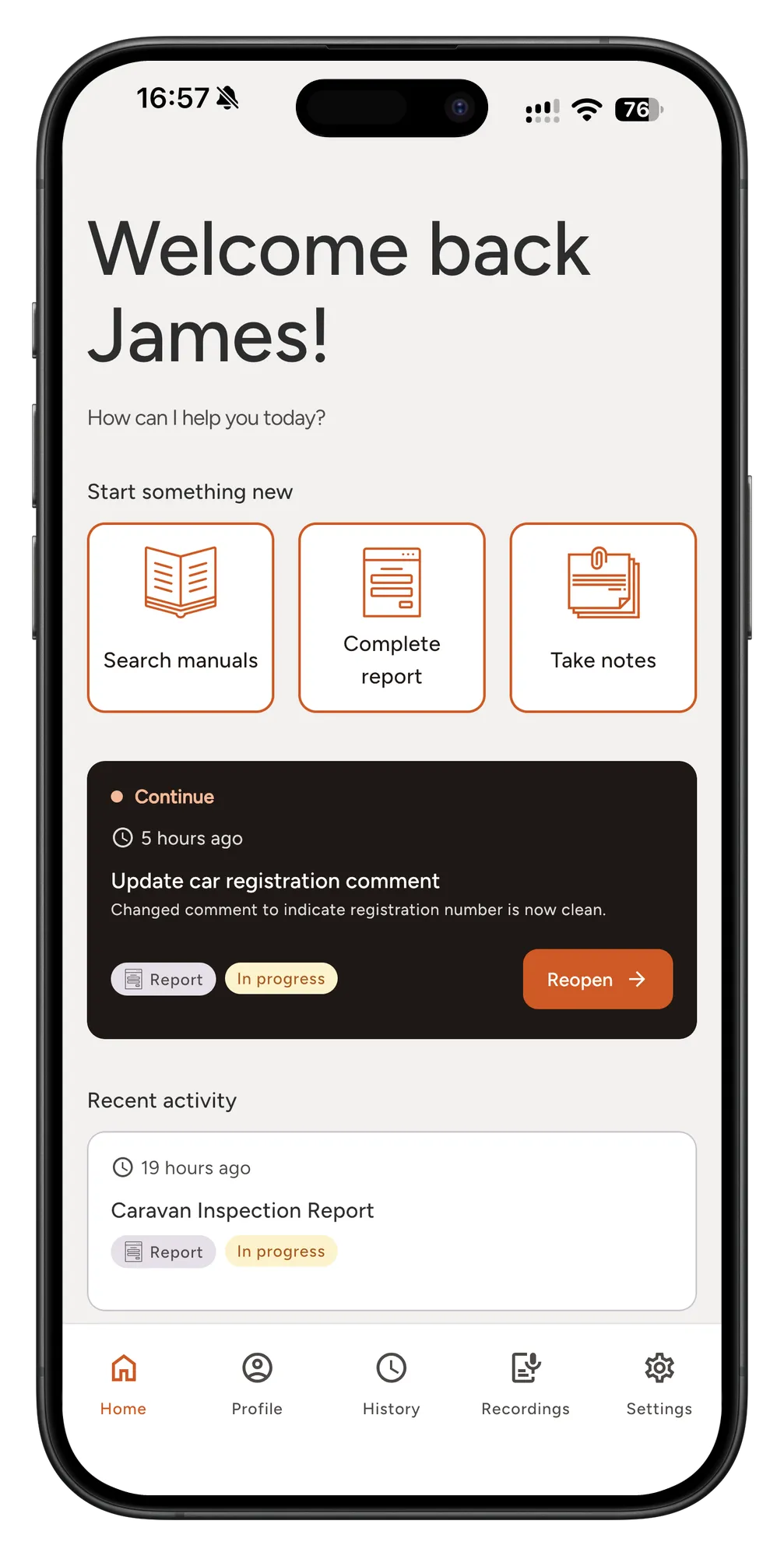
In your pocket
The whole platform, on the phone you already carry
-
Ask and be answered
Put a question to your own manuals, service bulletins and repair history out loud, and get an answer that tells you which document it came from.
-
Talk, and the record writes itself
Describe the job in your own words. FieldPal assembles the structured record behind you, and there’s no form to tab through.
-
Works with gloves on
Voice-first throughout, so the phone can stay in a pocket while the work carries on.
Getting started
Three steps, about five minutes
-
01
Download FieldPal
Free from the App Store. Search for FieldPal.ai, or use the button below on the iPhone or iPad you want to use.
-
02
Sign in
Use your existing FieldPal account, the same one you use on Android, RealWear or the dashboard. No account yet? Start the free trial, or tell us and we’ll set one up with your documentation loaded.
-
03
Start talking
Ask your first question out loud, or describe a job you’ve just finished and let FieldPal build the record.
Before you ask
Questions about the iPhone and iPad app
- What does it cost?
- The app is free to download. Using it needs a FieldPal account, which is licensed per person rather than per device, so iPhone and iPad users sit on the same plan as everyone else. Anyone can start the two-week free trial.
- Which devices are supported?
- Any iPhone running iOS 18.2 or later, and any iPad running iPadOS 18.2 or later. For Android phones and tablets, FieldPal is on Google Play.
- Can I use it on my own documents?
- Yes, and that’s the version worth judging. Send us a set of manuals or bulletins and we’ll load them so you’re asking questions of your own material rather than ours.
- What happens to what I record?
- It stays yours. Your data isn't shared across deployments and isn't used to train models for anyone else, the same commitment as the rest of the platform.
- I was on the TestFlight beta. What now?
- Install FieldPal from the App Store and sign in with the same account. Your reports live on the platform rather than the phone, so they’re all still there. Check nothing is waiting to upload before you delete the TestFlight build.
Ready when your team is
Put FieldPal on the iPhones and iPads your team already uses, or talk to us first about loading your own manuals and bulletins.